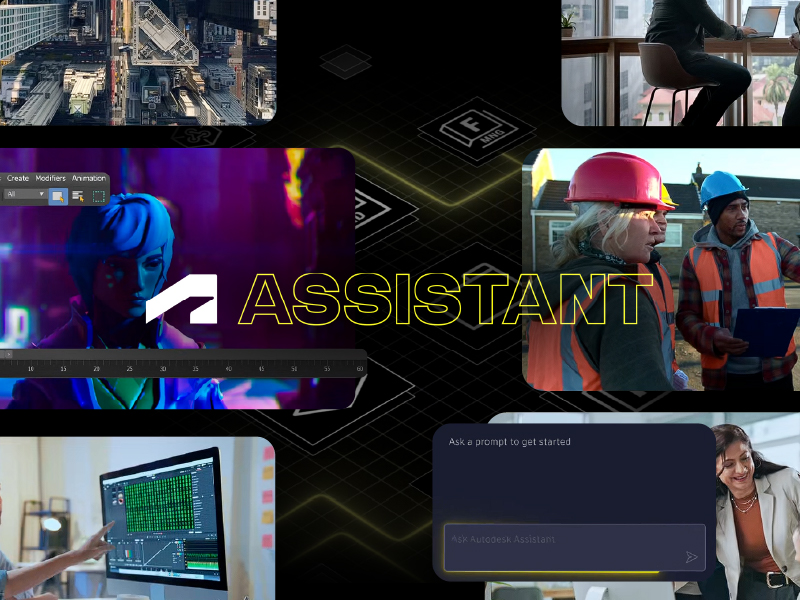
Quick answer: The most important change in the current release cycle is Autodesk Assistant in Fusion, an AI powered productivity tool built directly into the Fusion workspace. It lets designers and engineers complete tasks with natural language, from answering product questions and automating repetitive steps to creating custom add ins without writing code, generating technical drawings, and assisting with manufacturing setup. If you are reviewing the Autodesk Fusion latest version to decide whether to roll it out, this is the update that changes daily workflows the most.
Why every release matters more than it used to
Fusion updates continuously, which is an advantage until it becomes a blind spot. Many teams are still working the way they did three release cycles ago, running manual steps that the platform now handles on its own. The cost is rarely dramatic. It shows up as hours lost on drawing cleanup, CAM setups rebuilt from scratch, and junior engineers waiting on a senior colleague to answer a question the software could have answered instantly.
The other recurring problem is visibility. Product teams rarely have time to read every entry in the Fusion 360 release notes, so capabilities they already pay for sit unused. Reviewing Fusion 360 what’s new on a scheduled basis, rather than reactively, is one of the simplest efficiency gains available to a design or manufacturing organization.
Autodesk Assistant in Fusion, the headline addition
Autodesk Assistant lives inside the Fusion workspace, not in a separate window or portal. You describe what you need in plain language and it responds in context, with awareness of the design you are working on.
What you can ask it to do
-
Answer product and functionality questions without leaving the model
-
Automate repetitive workflows that previously required manual repetition
-
Create custom add ins without coding, which opens automation to users who are not developers
-
Generate technical drawings from existing geometry
-
Assist with manufacturing setup and preparation
-
Organize projects and files
-
Execute design commands directly from a simple prompt
Prompt history, saved prompts and contextual guidance
Two features make this practical for teams rather than individuals. Prompt history means a useful sequence is never lost, and saved prompts let a company standardize how a task is requested across the entire department. That turns an individual shortcut into a repeatable internal procedure, which is where the real return on an Autodesk Fusion update appears.
How it fits into an existing workflow
Adoption does not require restructuring your process. Autodesk Assistant sits alongside the tools your team already uses in Autodesk Fusion, responding to prompts in the same environment where modeling, documentation and CAM happen. There is no export, no plugin ecosystem to maintain, and no scripting requirement for automations that previously demanded a developer.
The practical effect is that engineers spend less time operating software and more time on engineering decisions. That distinction matters when you are justifying a rollout to an operations director or a technology lead.
What changes for design and manufacturing teams
The measurable benefits we see when clients adopt the newest Fusion 360 new features tend to cluster in four areas.
Onboarding gets faster, because new hires can ask the platform instead of interrupting a senior engineer. Documentation load drops, since drawing generation is assisted rather than manual. Manufacturing preparation becomes more consistent, because setup assistance reduces the variation between one programmer and another. And automation stops being a specialized skill, since add ins can be created without code.
Common scenarios across AEC, manufacturing and media
Product design and manufacturing
A machining team producing high mix, low volume parts spends a disproportionate share of its time on repetitive setup. Assisted manufacturing preparation and saved prompts standardize that step, which shortens quoting cycles and reduces rework on the shop floor.
AEC teams coordinating with BIM workflows
Architecture, engineering and construction firms often use Fusion for fabrication level detail that feeds a broader BIM process. Faster drawing generation and better project organization reduce friction at the handoff point, which is usually where schedules slip.
Media and entertainment studios
Studios working under tight delivery windows benefit most from workflow automation. Removing manual asset organization and repetitive commands frees artists to focus on creative output rather than file management.
How to adopt a new release without disrupting production
Start by reviewing the release notes with a specific question in mind, which is what our team would eliminate first if the software could do it for us. Then run a pilot with a small group rather than a company wide switch. Build a shared library of saved prompts so the same task is requested the same way across the team. Confirm your licensing and deployment approach before scaling, and pair the rollout with short, role specific training instead of a single generic session.
Teams that skip the pilot stage usually see adoption stall, not because the technology fails, but because nobody defined what good use looks like.
Where MicroCAD makes the difference
As a leading Autodesk partner, we work with organizations across AEC, design and manufacturing, and media and entertainment to turn each release into something operational. That means implementation, structured training, licensing guidance and ongoing support from consultants who have run these deployments before, not a handoff after purchase.
We are also a nationally certified Minority Business Enterprise, with additional state and local certifications, which supports clients working toward supplier diversity objectives without compromising on technical capability.
Ready to put the newest release to work
Autodesk Assistant in Fusion simplifies design and manufacturing tasks through AI powered natural language workflows. If you want an assessment of how the current release maps to your specific workflows, our consultants can review your setup and build a rollout plan around it. Explore our Autodesk Fusion solutions and let’s identify where the fastest gains are for your team.