Bluebeam Revu Software
Supercharge your Revu with
Bluebeam Max
The Premium plan with built-in AI fro AEC teams
LEARN MORE

Fill-out this form to get a 14-days free trial
Bluebeam Software helps projects stay on track
Bluebeam Revu keeps teams on the same page through the design process, helps move the project forward during construction, and preserves important project data through completion and beyond.
For more information,
Call 888-355-0081

-
Customize collaboration permissions
A newly enhanced process for setting permissions ensures the right people have access to the right information from the start.
-
Get the data you need, faster
Quickly see the latest edits and updates with improved Markups List filters.
-
Mark up and measure quicker than ever
Finish the job faster with our newly improved PDF markup and measurement tools.
Pick a Bluebeam Revu plan that Works for your team
Basics
Essential markup and document tools for AEC office workflows.
- PDF creation and editing
- Markup creation and tracking
- Basic measurements
- Digital signatures and OCR
- Markups List with metadata
- Studio participation (view only)
Core
Collaboration and automation tools for small and mid-sized AEC projects.
- Real-time Studio collaboration
- Visual Search
- Overlay and drawing compare
- Takeoff tools
- Third-party Studio integrations
- Customizable formula columns
Complete
Everything you need to manage complex AEC projects at scale.
- Batch Sign and Seal
- Scripting and custom automation
- Dynamic Fill measurements
- Quantity Link with Excel
- Batch processing tools
- Advanced reporting
Max
NEW
AI, automation, and BIM connectivity for high-performance AEC teams.
- AI integration via MCP
- Magic Markups (Duplicate as, Convert to, Offset)
- Automated multi-view Stitching
- Smart Review: AI plan checks
- Smart Overlay: AI drawing comparisons
- Connected Studio Sessions in Revit
Better Communication, from start to finish
Bluebeam software® Revu® keeps design, engineering and construction teams connected throughout the entire Project lifecycle.

Design Review
Revu speeds up design reviews by allowing project partners to mark up and collaborate on the same documents in real time.

QA/QC
For architects, engineers and contractors, the markup and collaboration tools in Bluebeam Revu allow for faster, more accurate and more thorough quality reviews.

Quantity Takeoffs
Measurement tools in Revu help you capture a project’s true scope and create a stronger bid—which gives you the competitive edge.

Project Handover
With the dynamic document creation tools in Revu, you can deliver smart O&Ms that give facilities managers quick and easy digital access to critical project information.

Submittal Review
Revu simplifies submittals with powerful markup and editing tools, and integrates seamlessly into many document management systems to keep your project running smoothly.

RFI Posting
Revu keeps RFIs clear and organized with smart markup, hyperlinking and visualization tools, helping your project stay on track.
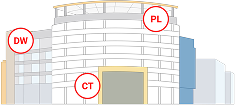
Punch Process
By sorting and summarizing punch items within drawings, Revu helps project teams achieve a 90% completion rate on first back check.

AI-Powered Workflows
Design discrepancy detection with Smart Overlay, plan review with Smart Review, and markup connection to 3D models in Revit.
Bluebeam Revu Resources
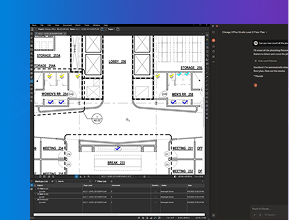
Bluebeam Max
→

Revu Overview Video
→
Revu for iPad Video
→
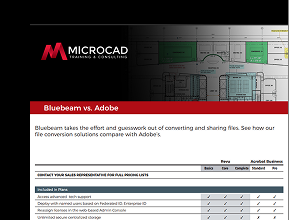
Bluebeam Vs Adobe Full List
→
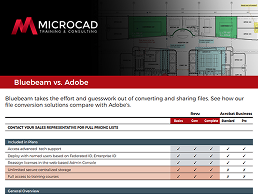
Bluebeam Vs Adobe Summary
→

Bluebeam vs Adobe Ultimate AEC Comparison
→