If you are stepping into the world of mechanical design, engineering, or product development, choosing the right CAD software can define the success of your entire workflow. Autodesk Inventor has established itself as one of the most powerful and complete parametric 3D CAD platforms on the market trusted by engineers, designers, and manufacturers across industries worldwide. Whether you are building simple components or engineering complex assemblies with thousands of parts, Inventor is built to handle it all. In this guide, we walk you through exactly what to expect when you start using Autodesk Inventor, from its design tools and simulation capabilities to collaboration features and manufacturing outputs so you can hit the ground running with confidence.
A Complete Mechanical Design Environment
From the moment you open Autodesk Inventor, you will notice that every tool is designed with the mechanical engineer in mind. Unlike general-purpose 3D modelers, Inventor is purpose-built for designing real, manufacturable parts and products. The interface is organized around a logical design workflow, making it intuitive even for those transitioning from other CAD systems.
Parametric 3D Modeling at Its Core
At the heart of Inventor is its parametric modeling engine. Every sketch, feature, and constraint you create is stored in a history tree, allowing you to go back and modify any dimension or design decision and watch the entire model update automatically. This is a game-changer for iterative design processes where changes are frequent and time is always a constraint. You can define relationships between parts, use equations to drive dimensions, and build models that are as intelligent as they are accurate.
Managing Large Assemblies With Ease
One of the standout strengths of Inventor is its ability to handle large and complex assemblies without sacrificing performance. Using features like Level of Detail (LOD), Express Mode, and Substitute components, engineers can work efficiently even on assemblies containing thousands of parts. Inventor intelligently loads only what you need, keeping your workstation responsive and your workflow uninterrupted.
Design Automation Through iLogic
One of the most powerful and distinctive features you will encounter in Autodesk Inventor is iLogic Inventor’s built-in rules-based automation engine. iLogic allows you to embed design logic directly into your models and assemblies using a simple, VBA-style programming interface.
With iLogic, you can:
-
Automate repetitive design tasks, reducing manual input and human error
-
Create configurable product families where a single model adapts to multiple variants
-
Drive parameter changes based on rules you define (for example, if part length exceeds 500 mm, automatically change the wall thickness)
-
Build intelligent forms that allow non-CAD users to configure product specifications
-
Trigger external actions, such as updating BOMs or generating drawings automatically
Whether you are a beginner or an advanced user, iLogic scales with your skill level. Even simple rules can save hours of manual work across a project lifecycle.
Integrated Simulation for Performance Validation
Before a single prototype is built, Inventor lets you validate your design virtually. The integrated Stress Analysis (FEA) and Dynamic Simulation environments allow engineers to test how parts and assemblies will behave under real-world conditions all without leaving the Inventor workspace.
Stress Analysis (FEA)
Using Inventor’s Finite Element Analysis (FEA) tools, you can apply forces, pressures, and constraints to your models and visualize stress, strain, and displacement with color-coded results. This helps identify potential failure points early in the design phase, allowing you to make data-driven modifications before committing to physical production.
Dynamic Simulation
The Dynamic Simulation environment in Inventor takes things a step further by animating mechanical motion. You can define joints, apply motors and springs, and simulate the kinematic and dynamic behavior of mechanisms for instance, a linkage system, a cam follower, or a gear train. This is invaluable for verifying that moving parts function as intended before investing in prototyping costs.
Built-In Visualization for Clearer Communication
Communicating design intent to clients, stakeholders, and manufacturing teams has never been easier. Inventor includes built-in visualization tools that allow you to produce high-quality rendered images and animations directly from your 3D models. With Inventor Studio, you can create photorealistic renderings using lighting, materials, and scene environments that make your designs look as real as the physical product.
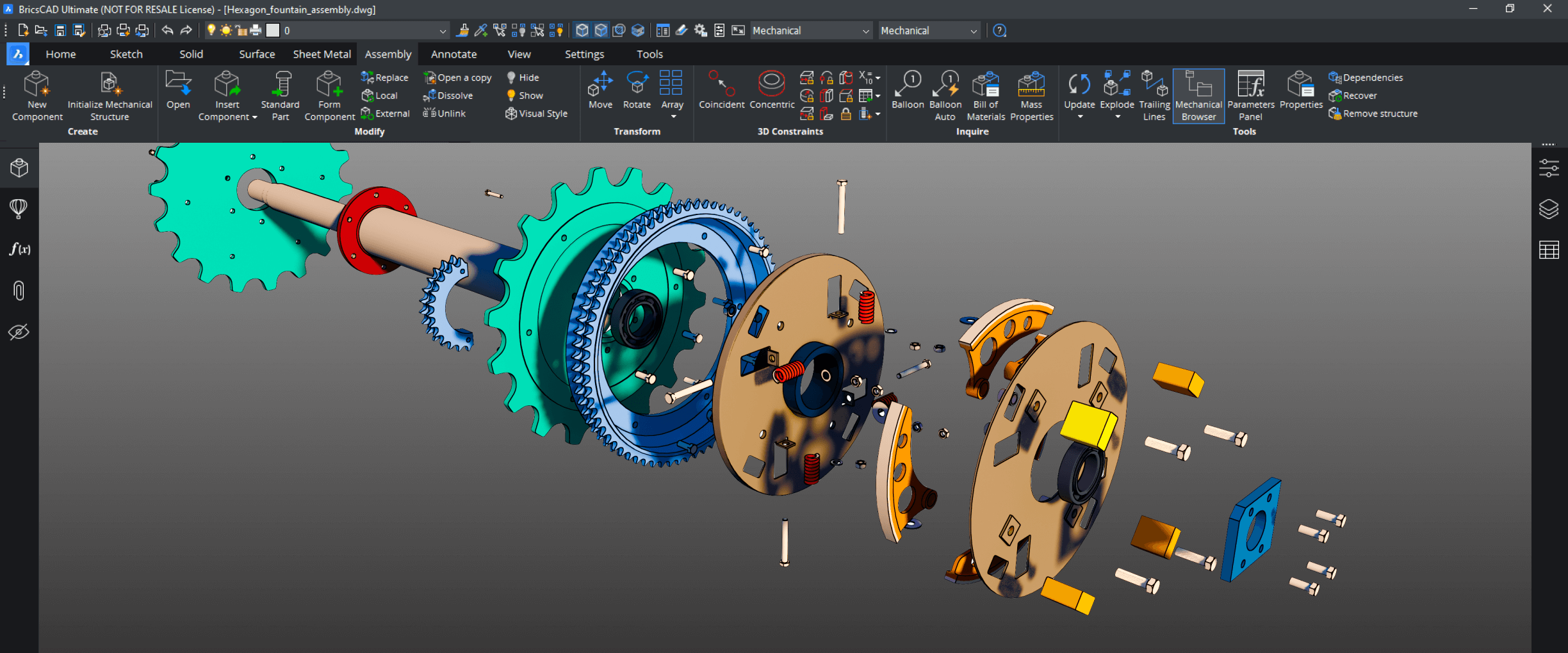
Additionally, the Presentation environment lets you create exploded views and step-by-step assembly animations perfect for technical documentation, maintenance manuals, or marketing materials. These visual assets are generated directly from your engineering model, ensuring consistency and eliminating the need for separate illustration software.
Seamless Collaboration and Data Exchange
Modern engineering projects rarely involve just one person or one software platform. Inventor is designed from the ground up to support collaborative workflows and interoperability with other systems.
Inventor integrates natively with Autodesk Vault and Autodesk Fusion for product data management and cloud collaboration, enabling teams to share, version, and control access to design files in a structured environment. For cross-platform compatibility, Inventor supports import and export of industry-standard formats such as STEP, IGES, SAT, DWG, and DXF, as well as native files from SolidWorks, CATIA, Pro/ENGINEER (Creo), and others through the AnyCAD technology.
Manufacturing Tools and BOM Management
One of the most practical aspects of Inventor is how well it bridges the gap between design and manufacturing. The platform includes dedicated tools to generate manufacturing-ready outputs, ensuring your design can be built exactly as intended.
2D Drawings and GD&T Annotations
Inventor’s drawing environment automatically generates associated 2D views from your 3D models. Dimensions, tolerances, and GD&T (Geometric Dimensioning and Tolerancing) symbols can be added and will update automatically if the 3D model changes. This associativity eliminates discrepancies between models and drawings a major source of manufacturing errors in traditional workflows.
Flexible Bill of Materials (BOM)
Inventor’s BOM manager gives you full control over how components are listed, grouped, and exported. You can define structured, unstructured, or parts-only BOMs, add custom columns for cost codes or supplier information, and export directly to Excel or ERP systems. This flexibility ensures your BOM works not just for engineering, but for procurement and production planning as well.
Continuous Enhancements to Usability and Compatibility
Autodesk continues to evolve Inventor with each annual release, adding usability improvements, expanded interoperability, and new tools that address real-world engineering challenges. Recent versions have brought improvements to the Sketch environment, enhanced performance for large assemblies, better PDF output quality for drawings, improved AnyCAD translation fidelity, and more intuitive frame design and tube & pipe routing workflows.
Autodesk also provides extensive learning resources, including the official Autodesk Knowledge Network, tutorial videos, and a vibrant community forum so you are never alone in your learning journey.
Frequently Asked Questions About Autodesk Inventor
Is Autodesk Inventor suitable for beginners?
Yes. While Inventor is a professional-grade tool, it is designed with an intuitive interface and guided workflows that allow beginners to build confidence quickly. Autodesk offers a wide range of tutorials, certifications, and even a free educational version for students and educators. With consistent practice, most users can handle real-world projects within a few weeks of dedicated learning.
How is Autodesk Inventor different from AutoCAD?
AutoCAD is primarily a 2D drafting tool (with some 3D capabilities), while Autodesk Inventor is a full parametric 3D mechanical design platform. Inventor is built specifically for engineering product design it handles assemblies, parts, simulations, BOMs, and manufacturing outputs in a way that AutoCAD simply is not designed for. Think of AutoCAD as a drafting board and Inventor as a complete mechanical engineering workbench.
Can Autodesk Inventor work with files from other CAD software?
Absolutely. Inventor’s AnyCAD technology allows you to reference native files from SolidWorks, CATIA, Pro/E (Creo), NX, and others directly in your assemblies without conversion. It also supports widely used neutral formats like STEP and IGES, making collaboration with external suppliers and partners seamless.
Does Autodesk Inventor include simulation tools?
Yes. Inventor includes built-in Finite Element Analysis (FEA) for static stress analysis and a Dynamic Simulation environment for kinematic and dynamic analysis of mechanisms. These tools are included in the standard Inventor subscription, allowing engineers to validate their designs without purchasing separate simulation software.
What industries use Autodesk Inventor?
Autodesk Inventor is used across a broad range of industries including automotive, aerospace, industrial machinery, consumer products, HVAC, medical devices, and oil & gas. Any industry that requires the design, engineering, and documentation of mechanical products or systems can benefit from Inventor’s capabilities.
Final Thoughts
When using Autodesk Inventor, you are not simply purchasing a tool you are investing in a complete mechanical design ecosystem. From the first sketch to the final manufacturing drawing, Inventor provides everything you need to design smarter, validate faster, and collaborate more effectively. It is a platform that grows with you, adapts to your industry, and continuously evolves to meet the demands of modern engineering. Whether you are a solo designer, part of a small engineering team, or working inside a large manufacturing organization, Inventor is built to reduce errors, accelerate your workflow, and transform your product ideas into reality with precision and confidence.