AI and automation are changing how transportation infrastructure gets designed. In Autodesk Civil 3D 2027, features like AI-assisted horizontal regression analysis, the Autodesk Assistant Tech Preview, and automated rail track extraction in ReCap Pro reduce manual drafting, speed up scenario evaluation, and give engineering teams more confidence in the alignments they deliver. The result is less rework, faster approvals, and designs that balance cost, safety, performance, and sustainability from the first iteration.
The real cost of manual infrastructure design
Ask any civil engineering team where their hours go and the answer is rarely “design.” It is tracing survey points by hand, rebuilding alignments after a stakeholder changes a constraint, hunting through documentation for a workflow, and reconciling data that arrived in three different formats.
Every one of those tasks introduces delay and risk. A rail alignment that takes days to reconstruct from point cloud data slows the entire project. A highway corridor evaluated under only one scenario, because a second scenario would take another week, leaves cost and safety trade-offs unexplored. These are the pain points that modern infrastructure design software is built to eliminate.
What connected design optimization actually means
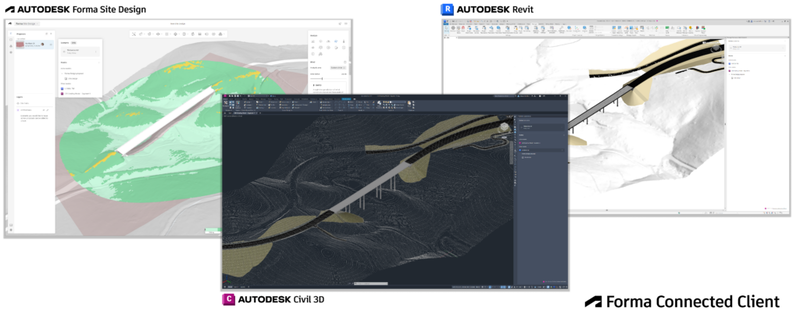
Autodesk’s approach to connected design optimization combines AI with automated processes so that data flows from survey to design to analysis without manual handoffs. Instead of a linear workflow where each step waits on the last, teams can run data-driven scenario analysis and compare outcomes side by side.
For transportation planning, that means evaluating multiple corridor options against real constraints, seeing the impact on earthwork, drainage, and right of way immediately, and making decisions backed by numbers rather than assumptions.
How AI and automation work inside Civil 3D 2027
The 2027 release brings these ideas directly into the tools engineers already use. Here is what changes in practice.
Horizontal regression analysis with Autodesk AI
Creating optimal alignments for railways, roads, highways, and pipelines from survey data has always meant balancing accuracy against speed. Civil 3D 2027 introduces a modeless regression interface, so you can evaluate alignments directly in the drawing and edit them with standard Alignment Layout tools without leaving your workflow.
When you enable Autodesk AI, a machine learning powered detection method analyzes complex survey data and produces more consistent regression results. Alignments follow real-world conditions with minimal deviation, and the engineer spends time validating design intent rather than cleaning up geometry.
Autodesk Assistant and the Tech Preview
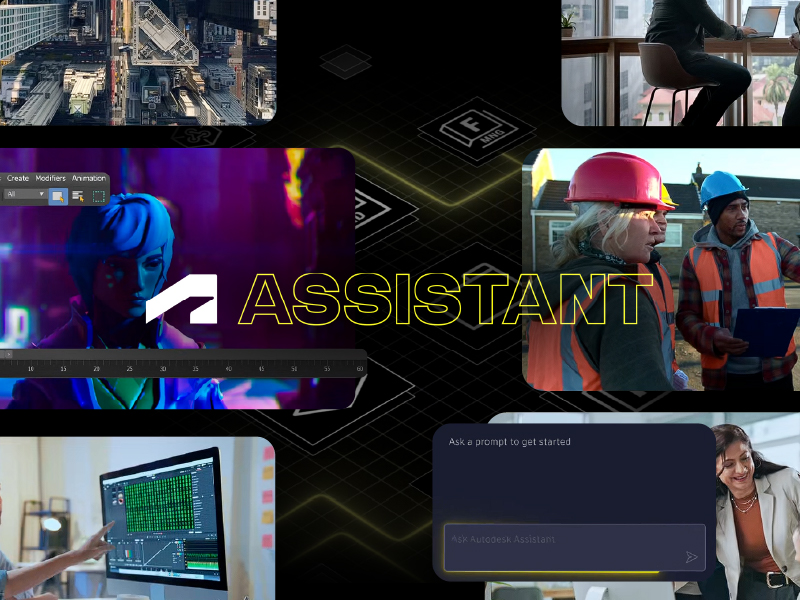
The refreshed Autodesk Assistant in Civil 3D 2027 offers a conversational experience for questions about features, step-by-step guidance, and links to learning documentation, with a prompt library and chat history built in.
The Tech Preview goes further by giving the Assistant contextual awareness of your drawing. Current capabilities include selecting and navigating to drawing elements, querying drawing information to aggregate and summarize properties, and analyzing objects to apply styles based on user-defined criteria. In Civil 3D 2027.1, the Assistant opens by default, counts objects across more Civil 3D types, uses selected objects as context for analysis, and returns reports with explicit units.
A practical example from Autodesk’s own demonstration: asking the Assistant to highlight every pipe in a storm network and generate a table with type, length, slope, and elevations. What once required manual selection and property extraction becomes a single prompt. The Tech Preview is still under development and responses should be verified, but the direction is clear.
Automated rail track extraction in ReCap Pro
Point clouds are rich in data and expensive to interpret by hand. ReCap Viewer now includes intelligent rail path tracing, automated extraction of rail gauge lines and centerlines, built-in QA tools that validate gauge, cant, and alignment deviation, and direct export of the extracted geometry to LandXML for use in Civil 3D. Rail design teams move from raw scan to usable alignment in a fraction of the time.
Why this matters for your organization
The benefits of Civil 3D automation go beyond individual productivity.
- Fewer errors reach construction, because alignments and networks are generated from validated data rather than manual interpretation.
- Scenario evaluation becomes routine instead of exceptional, so cost, safety, and sustainability trade-offs are explored early.
- Onboarding accelerates, since the Assistant answers workflow questions inside the application and reduces dependence on a handful of senior users.
- Data reuse improves, with survey, design, and analysis living in a connected environment instead of disconnected files.
Common scenarios where teams see immediate gains
A regional DOT evaluating three interchange configurations can model each corridor, compare earthwork and drainage impacts, and present a data-backed recommendation to stakeholders in one review cycle.
A rail consultancy receiving mobile LiDAR scans of an existing line can extract track geometry automatically, run regression analysis with AI assistance, and deliver an as-built alignment ready for rehabilitation design.
A civil firm with a growing team can use the Autodesk Assistant as a built-in Civil 3D tutorial layer, letting new hires get answers about data shortcuts, drawing templates, and coordinate systems without interrupting project leads.
How to prepare your team for AI-driven design
Adopting these capabilities is as much an organizational shift as a software update. Based on our implementation experience, three steps make the difference.
Get your data ready
AI features perform best on clean, consistent survey and drawing data. Establish standards for point cloud classification, LandXML exports, and drawing templates before rolling out new workflows.
Pilot before you scale
Enable the Tech Preview with one team and one project type. Document which prompts and workflows deliver value, then build training around those results.
Invest in structured learning
The gap between owning Civil 3D and using it well is training. Formal instruction on regression analysis, corridor modeling, and the Assistant ensures that automation reinforces good engineering practice rather than hiding it.
Where MicroCAD fits
As an Autodesk partner with a consultative approach, MicroCAD helps AEC organizations across the United States evaluate, implement, and adopt Autodesk Civil 3D alongside the data standards and training that make AI-driven workflows reliable. Our team works with engineering leaders to assess current processes, define pilot projects, and build the internal capability to sustain results long after deployment.
Automate your transportation planning to eliminate costly rework, speed up scenario evaluations, and stop wasting time on manual design processes.