AU 2026: Autodesk University 2026 highlighted how agentic AI, connected data, and intelligent automation are transforming architecture, engineering, construction, manufacturing, operations, and media and entertainment. From the evolution of Autodesk Assistant to AI-powered capabilities in Forma, Fusion, Inventor, Tandem, and Flow, the event focused on reducing repetitive tasks, improving collaboration, and connecting workflows across the entire project lifecycle.
From September 15 to 17, thousands of professionals met at The Venetian in Las Vegas, and many more joined through the free digital pass. If you could not attend, or you want to know what matters for your team, here is a practical summary of what was announced and what it means for daily work.
Too Much Time Spent on Work That Doesn’t Move Projects Forward
Most design and engineering teams face the same problem. Skilled people spend hours searching for the right file, comparing drawing revisions, rebuilding assemblies, or re-entering data that already exists in another system. Every handoff between tools or departments creates another chance for errors and rework.
The Autodesk University 2026 key learnings address this problem directly. Autodesk did not present AI as a futuristic concept. It presented specific tools designed to remove friction from work that teams already do every day.
What Changed With Autodesk Assistant
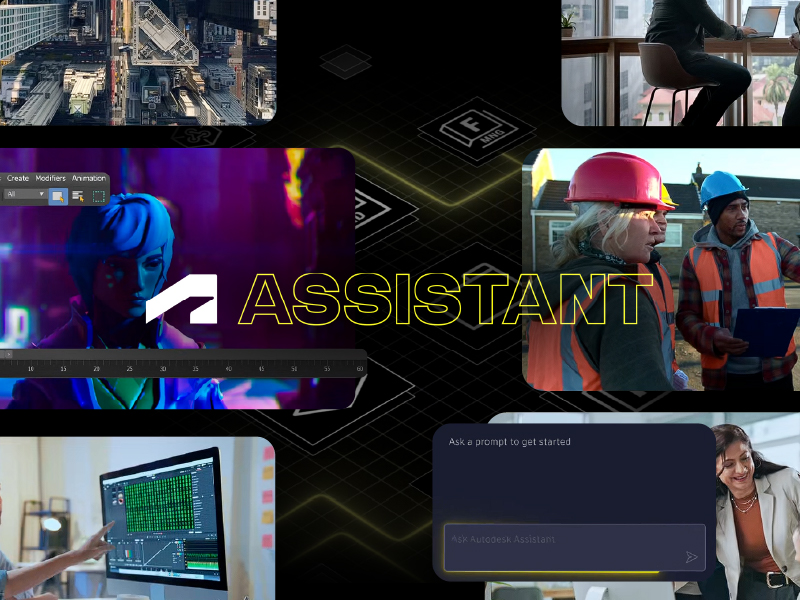
The biggest announcement was the evolution of Autodesk Assistant. Autodesk is moving away from single-app chat support toward an agentic AI orchestrator that works across the cloud. Instead of answering one question at a time, it can manage multi-step design and engineering workflows in the background across Forma, Fusion, and Flow.
Think of it as a teammate that prepares the work so your experts can review, decide, and approve. That distinction was repeated throughout the event: people remain in control. Users validate recommendations, edit outputs, and keep full decision authority.
How Connected Data Supports Every Workflow
AI is only as useful as the information behind it. That is why connected data was the foundation of nearly every session. Autodesk is building a digital thread that links requirements, designs, bills of materials, models, approvals, field information, sensors, and operational data.
In practice, this means:
- Fewer information silos, because teams work from a shared cloud model instead of disconnected files.
- More traceable decisions, since every change can be linked back to its source.
- Safer AI adoption, supported by metadata-based access controls, source-grounded answers, and reviewable results.
Automation That Removes Repetitive Tasks
For manufacturing teams, the most tangible news came from Autodesk Fusion and Inventor. AutoTimeline converts imported geometry into editable parts by rebuilding design history. AutoAssemble builds assemblies automatically. Automated CAM programming and AI-assisted configurations reduce setup time on the shop floor.
Similar automation is reaching construction, where agents can compare drawing revisions, structure daily logs, and help review bids and submittals. The goal is the same across industries, which is less manual coordination and more time for engineering judgment.
Key Takeaways by Industry
Architecture, Engineering, and Construction
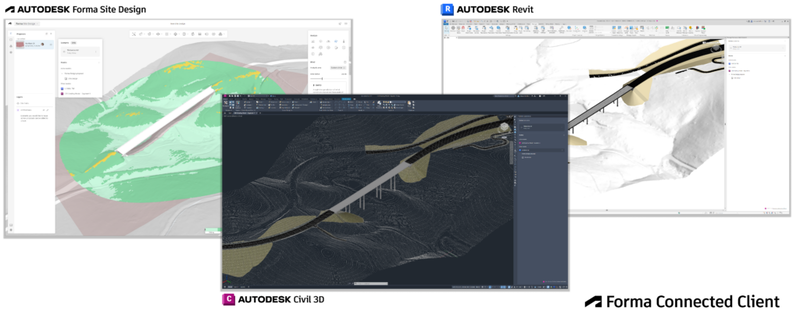
Autodesk Forma is positioned as a common environment that connects models, drawings, records, GIS context, and point clouds. Its connections with Revit and Civil 3D help design-to-construction workflows converge through hypermodeling, connected takeoff data, and 4D model links. Sustainability also stood out, with carbon analysis and data-driven design presented as ways to reduce waste and manage cost pressure.
Design and Manufacturing
The digital thread connects Fusion, Fusion Manage, Inventor, and Vault across the product lifecycle. Agentic PLM experiences link structured product data with email and chat conversations, helping teams identify the impact of a change, suggest alternatives, and prepare change orders faster.
Operations
Autodesk Tandem is turning digital twins into tools for action. By combining BIM, equipment data, and live sensor information, teams can simulate layouts with FlexSim, monitor asset conditions, and trigger maintenance work orders before failures occur. Those findings can then feed back into design, closing the lifecycle loop.
Media and Entertainment
Autodesk Flow and Maya position AI as creative acceleration, not replacement. Artists can generate characters, environments, and rigs from text or image prompts, then refine everything in an editable workflow. Flow Capture adds live on-set review, AI-powered search, and transcripts, while AI-assisted scheduling improves production planning.
Real Scenarios Where These Changes Make a Difference
- A mid-size architecture firm that loses hours comparing drawing sets can rely on automated revision comparisons and focus on design quality.
- A manufacturer importing supplier geometry can turn static files into editable parts without rebuilding them manually.
- A general contractor can keep preconstruction, takeoff, and field data connected, reducing errors between the office and the jobsite.
- A facility owner can move from reactive repairs to condition-based maintenance using live operational data.
How to Prepare Your Team for What’s Next
Adopting these capabilities is less about buying new tools and more about getting your foundation right. Before AI can help, your data needs structure and your team needs confidence in the workflow.
- Review your data organization. Clean templates, consistent standards, and governed access make AI results more reliable.
- Connect your current tools first. Workflows between Revit, Civil 3D, Inventor, Vault, and the cloud deliver value on their own.
- Invest in training. New features only increase productivity when people know how and when to use them.
- Start with one repetitive process. Measure the time saved, then scale what works.
Turning AU 2026 Insights Into Results
The clearest business outcome from AU 2026 is increased capacity. Fewer handoffs, less rework, and less time spent searching for information give your experts room to focus on decisions that require their experience.
At MicroCAD, we help AEC and manufacturing teams make that shift with practical guidance. As an Autodesk Platinum Partner with more than 30 years of experience, we support software selection, implementation, standards, certified training, and ongoing technical support, so new technology translates into real productivity instead of another learning curve.
Reduce manual work, improve collaboration, and accelerate projects with connected data and much more at Autodesk.