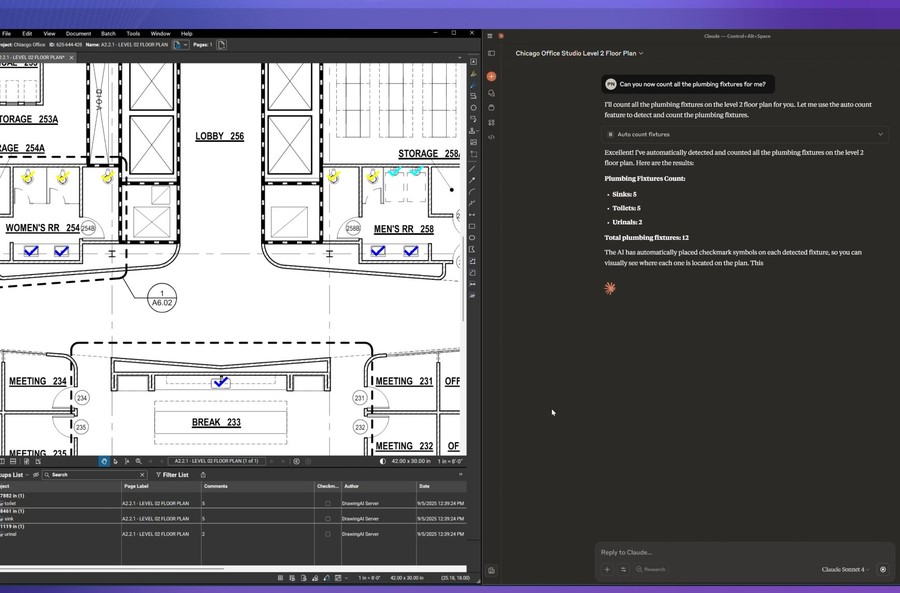
Artificial intelligence is no longer a futuristic concept in architecture and construction it is already influencing how models are built, documented, and presented. Before adopting AI tools for BIM workflow and architectural visualization, design teams should take the time to evaluate how these technologies will impact their workflows, productivity, and collaboration. Solutions such as the Chaos AI Productivity Collection presented by MicroCAD bring together AI-driven visualization, automation, and interoperability that integrate directly with BIM environments. The right questions asked early can help firms avoid costly missteps, protect project data, and unlock genuine productivity gains. This blog walks architects, designers, and BIM managers through the key questions to evaluate before introducing AI into their design process, visualization pipeline, and documentation workflows.
Why AEC Teams Are Rethinking AI Adoption in BIM
AI adoption in the AEC industry has accelerated quickly, but not every tool is created equal, and not every implementation produces measurable value. Some solutions sit outside the BIM environment and fragment the workflow, while others integrate natively and amplify the work teams are already doing in Revit, SketchUp, Rhino, or AutoCAD. Tools inside the Chaos ecosystem such as Veras for AI visualization, Glyph for Revit documentation automation, and Helix for multi-platform interoperability are designed to work with existing BIM data rather than replace it. Still, even the best tool only delivers ROI when it aligns with how your team actually designs, documents, and collaborates.
Key Questions to Ask Before Adopting AI Tools
A structured evaluation helps firms pick technology that sticks. The following questions cover the most important dimensions: integration, output quality, workflow fit, security, and team readiness.
Does the Tool Integrate Natively with Your BIM Environment?
The first and most important question is whether the AI tool works inside your existing design software or forces you to export files, upload to external platforms, and move between disconnected tools. Native integrations preserve model context materials, lighting, views, geometry relationships while external tools often strip that intelligence away. For example, Veras works natively with Revit, SketchUp, Rhino, Archicad, Vectorworks, and Autodesk Forma, using the existing 3D model as a substrate rather than a generic image. When evaluating any AI tool, ask:
-
Which BIM and CAD platforms does it plug into directly?
-
Does it require file exports or cloud uploads that could slow the workflow?
-
Will it respect the geometry, materials, and views already defined in the model?
Will It Accelerate Documentation Without Sacrificing Accuracy?
Documentation often consumes a disproportionate share of project hours. AI-driven automation can reclaim that time, but only if it delivers production-ready output. Glyph, for instance, converts simple text prompts into complete Revit deliverables plans, elevations, sections, dimensions, tags, and sheets running tasks like “Create Level 1 plans and elevations” or “Dimension grids, walls, and doors” in seconds. Before adopting any documentation AI, ask:
-
Can it handle the full range of tasks your team repeats across projects?
-
Does it support reusable “bundles” or templates for multi-step workflows?
-
How does it handle exceptions, edge cases, and firm-specific standards?
Does It Support Visualization in the Early Design Phases?
Early-stage design is where visualization tools can have the biggest impact, helping teams explore options, test atmospheres, and align stakeholders before committing to detailed modeling. AI visualization tools like Veras generate photorealistic images from sketches or lightweight BIM models in seconds, which is ideal for ideation and client pitches. The key question is whether the tool gives you enough control to preserve design intent. Good AI visualization should offer:
-
Natural-language prompts and intuitive sliders for geometry override and material strength.
-
Selective regeneration so you can refine only parts of an image.
-
Design-intent preservation features so iterations do not drift away from the original concept.
Can It Keep Models Synchronized Across Design Platforms?
Most AEC projects move across multiple tools during their lifecycle: concept in SketchUp or Rhino, documentation in Revit, detailing in AutoCAD. Every jump between platforms risks lost geometry, broken materials, or inconsistent coordinates. A good interoperability tool eliminates that friction. Helix, for example, connects Revit with SketchUp, Rhino, and AutoCAD through live syncing, texture mapping, and support for formats such as DXF and DirectShape. When evaluating interoperability tools, ask:
-
Does the tool support live or near-live syncing, or only one-time exports?
-
Are geometry, context, and spatial relationships preserved after the jump?
-
How does it handle updates when the source model changes mid-project?
How Does It Handle Data Security and Model IP?
AI tools often process models in the cloud, and that raises fair questions about intellectual property and confidentiality. Before introducing any tool, clarify where your data lives, how long it is retained, and whether it is used to train external models. Enterprise-grade AI tools built for AEC typically offer clear data-handling policies, controlled cloud processing, and options that keep proprietary geometry under the firm’s control.
Is the Learning Curve Realistic for Your Team?
A powerful AI tool that nobody uses is worth nothing. Consider onboarding time, training resources, and how closely the interface mirrors tools your team already knows. Chaos products, for example, are designed to feel familiar to Enscape and Revit users, which lowers the adoption barrier. Ask whether the vendor offers structured training, sample projects, and ongoing support areas where resellers like MicroCAD can make a meaningful difference.
How the Chaos AI Productivity Collection Addresses These Questions
The Chaos AI Productivity Collection answers most of the questions above by unifying three complementary tools inside a Revit-centric workflow.
Veras – AI Visualization Built for Architects
Veras turns early ideas into polished AI-driven visualizations, letting architects explore multiple directions without extra rendering steps. It uses your existing materials, lighting, and views to produce cinematic imagery, and it supports precise prompt control so changes land exactly where you want them while preserving the core design intent.
Glyph – AI-Powered Automation for Revit Documentation
Glyph accelerates Revit documentation by converting plain-language prompts into complete, production-ready outputs: plans, elevations, dimensions, tags, and sheet packing. With bundles that chain multiple tasks into a single click, Glyph turns hours of repetitive drafting into a few commands, reducing errors and freeing your team to focus on design.
Helix – Interoperability Across Platforms
Helix keeps Revit models aligned with SketchUp, Rhino, and AutoCAD through live syncing, texture mapping, and robust format support. Geometry, context, and spatial relationships travel with the model, so coordination issues and data losses stop interrupting the project.
Frequently Asked Questions
Is AI Going to Replace BIM Designers and Modelers?
No. Current AI tools in AEC are designed to augment human designers, not replace them. Veras, Glyph, and Helix each accelerate specific tasks visualization, documentation, interoperability but design judgment, code compliance, and client communication remain human responsibilities.
Do I Need a Powerful Workstation to Run AI Tools for BIM?
Most modern AI visualization and automation tools offload heavy processing to the cloud. You still need a capable workstation for Revit, SketchUp, or Rhino, but image generation, material creation, and upscaling typically run on Chaos Cloud rather than on local hardware.
How Is AI Visualization Different from a Traditional Render?
Traditional rendering calculates an image from geometry, materials, and lighting. AI visualization uses your model as a starting point and generates multiple style variations in seconds. It is best suited to early design exploration and client pitches, while production-ready renders for marketing and final approvals still benefit from established real-time or offline engines.
Will AI Tools Change My Existing Revit Workflow?
Well-designed tools like Glyph add capability without disrupting your current standards. They work alongside your templates, families, and drafting rules, automating the repetitive steps rather than replacing them.
Can Small and Mid-Sized Firms Benefit, or Is This Only for Large Studios?
Small and mid-sized firms often see the largest proportional gains because AI tools free up senior staff from repetitive tasks and help smaller teams compete on visualization quality. The Chaos AI Productivity Collection is scalable to teams of any size.
How Do I Start Evaluating These Tools?
Begin with a short pilot on a real project, focusing on a single pain point client visualizations, sheet generation, or cross-platform syncing. Measure hours saved and quality delivered, then expand where the ROI is clearest. MicroCAD offers consulting and training to help teams run structured pilots.
Ready to Modernize Your BIM Workflow?
AI-driven BIM solutions reduce time spent on documentation, improve visualization quality, and keep design data synchronized across platforms. The right questions and the right partner turn AI from a buzzword into a measurable advantage for architects, engineers, and BIM managers.