
Forma Design Collaboration | MicroCad

Forma Design Collaboration
Autodesk-bim-collaborate-pro-Microcad

Forma Design Collaboration: Your projects look clearer from the cloud with Autodesk

It’s time to shift your perspective. Forma Design Collaboration provides a better view of your projects, giving you and your team anytime, anywhere access to the tools and information needed. With powerful co-authoring, project management, and model coordination tools, your team can work together in a secure common data environment which means more co-working, and les re-working.

Highlighted Features of Forma Design Collaboration

Basic file storage & sharing

Share active design documents with read/write access and set user permissions on a folder and project level.

Common data environment

Store and manage all project data, whether generated in Revit, Civil 3D, or AutoCAD Plant 3D, in one location to improve efficiency during handover.

Design Review on-the-go

View and compare iterations of sheet layouts side-by-side or combined views of the project model in 3D view. No exports, translations, or uploads required.

Share & markup over 50 2D & 3D design file formats including Revit, Navisworks, AutoCAD, industry formats like IFC, and office file types.

Automated clash detection

Upload models to automatically detect clashes. View results in an intuitive matrix, identifying clashes and grouping them to prioritize work.

Explore design options by running clash analysis against shared models in sandboxed folders called “coordination spaces”, separating design trials from live ongoing work.

Empower Your Teamwork: Buy Forma Design Collaboration

Acquire Forma Design Collaboration licenses for enhanced project coordination and communication. Seamlessly connect design and construction teams, streamline workflows, and boost project efficiency. Elevate your BIM process and achieve unparalleled teamwork. Explore our Forma Design Collaboration licensing options today.

Anytime, Anywhere Collaboration with Forma Design Collaboration
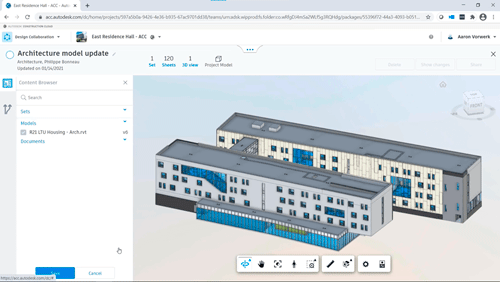
Revit Cloud Worksharing

Co-author work shared Revit models hosted on the cloud. Communicate design updates with other team members, perform automated clash detection of models, and review models anytime, anywhere.
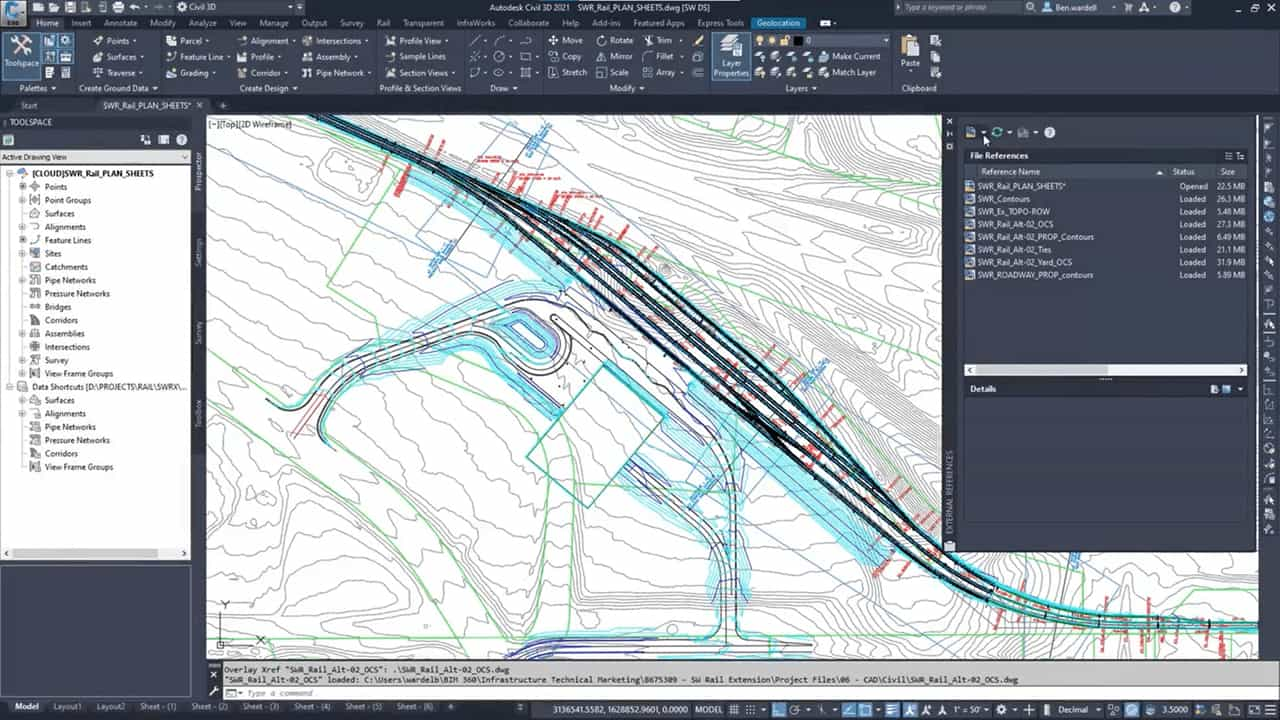
Collaboration for Civil 3D

Collaborate on Civil 3D design files, data shortcuts, and XRefs with automated file locking with anyone, from anywhere outside company firewall.
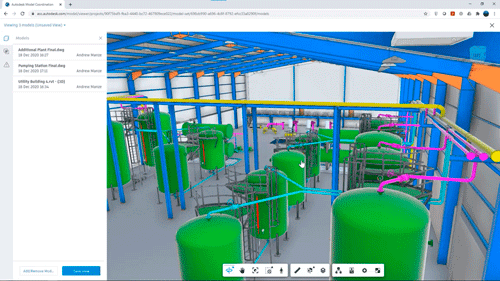
Collaboration for Plant 3D

Securely share Plant 3D files and references across teams or company firewalls. Manage permissions, maintain compliance requirements, and keep teams aligned in a common data environment.

Forma Design Collaboration Continues as Usual

Autodesk has made new updates to their Model Managagement offerings. Say hello to the new Model Management Bundle, designed to streamline workflows and bring even more value to your projects.

If you have Forma Design Collaboration, there’s no action required at this time.

Frequently Asked Questions

What is Forma Design Collaboration?
Forma Design Collaboration is Autodesk’s cloud-based platform for design collaboration, co-authoring, and model coordination. It gives AEC teams a secure common data environment where they can share project files, co-author models, review designs, and detect clashes from anywhere. Teams work from one source of project information, which improves coordination and reduces rework.
Is Forma Design Collaboration the new name for BIM Collaborate Pro?
Yes. Autodesk BIM Collaborate Pro is now Forma Design Collaboration, part of the Autodesk Forma industry cloud. If your team already uses BIM Collaborate Pro, you don’t need to take any action. Your access continues under the new name, and the co-authoring, coordination, and model management capabilities your projects depend on remain in place.
Which Autodesk products can my team co-author with Forma Design Collaboration?
Forma Design Collaboration supports cloud co-authoring in Revit, Civil 3D, and AutoCAD Plant 3D. Revit users can work on the same cloud-hosted, workshared model. Civil 3D teams can collaborate on design files, data shortcuts, and XRefs with automated file locking. Plant 3D teams can share files and references securely across companies.
How does a common data environment help reduce rework?
A common data environment stores all project data from Revit, Civil 3D, and AutoCAD Plant 3D in one location. Every team member works from the latest information and has permissions set at the folder and project level. This lowers the risk of working on outdated files, reduces version conflicts, and simplifies project handover.
How does automated clash detection work in Forma Design Collaboration?
When your team uploads models, Forma Design Collaboration detects clashes automatically and shows the results in a matrix. Clashes are grouped so your team can prioritize coordination work. You can also test design options in “coordination spaces,” which are sandboxed folders that keep design trials separate from live project work.
Can stakeholders review designs without having Revit or AutoCAD installed?
Yes. Stakeholders can view, compare, and mark up more than 50 2D and 3D file formats directly in the platform, including Revit, Navisworks, AutoCAD, IFC, and common office documents. They can compare sheet iterations side by side or review the combined 3D model without exporting, translating, or uploading files.
Can we collaborate with consultants and partners outside our company network?
Yes. Forma Design Collaboration is built for teams spread across multiple firms and locations. Architects, engineers, and contractors can securely share models and files outside the company firewall. Project administrators control who can view or edit each folder, so external partners get access to what they need and nothing more.
How can MicroCAD help my team buy and implement Forma Design Collaboration?
As an Autodesk Platinum Partner with over 30 years of experience, MicroCAD helps your team choose the right Forma Design Collaboration licenses, set up cloud collaboration workflows, and train users with Autodesk Certified Instructors. Our support team provides priority response within 4 business hours. [Request a Quote] or [Talk to an Expert] to get started.