There’s no denying the importance of AutoCAD to the architectural and engineering sectors. Introduced in 1982, it was the first computer-aided design program for computers. Of course, AutoCAD is still popular today. However, a new methodology threatens its relevance. The rise of building information modelling means that AutoCAD no longer contains everything you need.
Many firms in the AEC industry have made the switch from AutoCAD to Revit program, either fully or for specific projects. However, many others haven’t yet made the jump. The points mentioned in this article are to help those who haven’t ventured down the BIM road yet, or who possess the software but don’t know what to do next.
Why Make the Switch?
You may have worked with AutoCAD for so long that you don’t see any reason to make a change. While the change in process is really the larger of the two dreaded obstacles, it’s the change in software that typically causes AutoCAD users to head for the hills. The following are key reasons for switching from AutoCAD to Revit:
Better quality work
Autodesk Revit software by itself delivers the tools for better project outcomes associated with BIM, but when you deploy Revit as part of the AEC Collection its power significantly increases. The Collection includes software and services that work with Revit to help you fully explore ideas, carefully evaluate design options, and make well-informed design decisions.
Better approval time
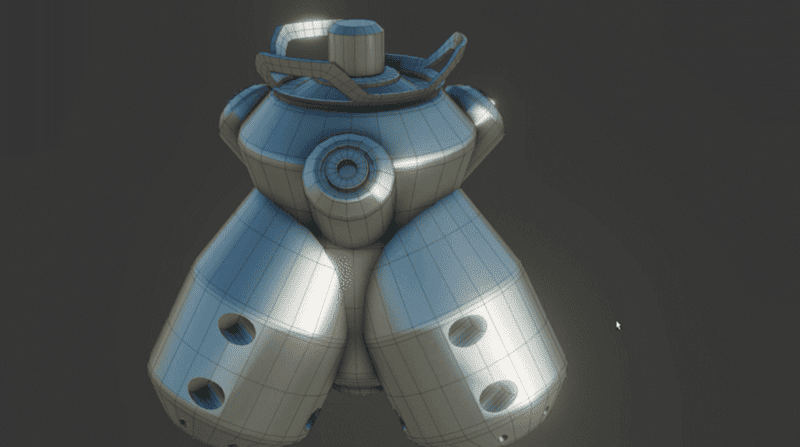
3D visualization, along with rendering, increases multiparty communication and understanding. You can communicate your vision much more effectively with a 3D model than a 2D CAD drawing. There’s a higher likelihood that the architect and the building owner will see eye to eye when reviewing a 3D model.
Less time doing changes
Unlike AutoCAD, with Revit any changes to the model are automated across multiple sheets and views. Everything is updated automatically without you having to do a single thing.
Better predictability and approach to budget
Because of the intelligence and interoperability of the software, the risk of data translation errors is minimized, resulting in smoother and faster design processes. Time saved translates into cost savings, and fewer errors leads to reduced risk and rework. Everything turns into a better productivity and therefore a relieve on financial pressures, improve of the cash flows and generation of more profits.
More competitive
Many government contracts require the use of building information modelling. The private sector is also adopting BIM at a fast rate. Revit is a better software for the BIM method than AutoCAD. As a result, it gives you a greater competitive advantage.
How to make the switch?
Revit allows you to use building information modelling to its fullest, as well as offering other benefits. Here are some suggestions to help make the switch easier.
Start small
You’re learning about new processes and software as you work. A tight schedule places unwanted pressure on the project. Revit will save you plenty of time once you understand its ins and outs. But you have to grasp its intricacies first. Start small so you can cement your processes. Learn how to use Revit, and what it requires from your team. As your team develops its conceptual understanding, scale your projects upwards.
Think about your team
In order to deliver change effectively, the responsible for leading change initiatives have to develop and communicate a vision emphasizing benefits that resonate with the recipients of the change. It’s not enough to just have a vision that works for a few.
As well as starting small, it’s best to account for the time you’ll take to adapt to Revit when you first use it. Many teams allocate too little time to their first projects, and end up running out of time. Tell your client that you’re switching to a new software package. Explain the benefits and the fact that you’ll need some time to adapt. This gives you more freedom to learn how to use Revit properly.
Adopt BIM
Revit makes implementing the BIM methodology easier. Train your team in BIM before switching from AutoCAD to Revit. There’s no standard course for BIM, as each provider has its own take on the methodology. Research the firm that suits your company’s needs.
Also, train your entire team in Revit, and don’t assume that an AutoCAD expert will enjoy an easier transition. Revit isn’t the same thing as BIM, and you don’t have to adopt BIM to use it. However, the software helps you to use BIM concepts with greater efficiency. Furthermore, you’ll get more out of Revit if you commit to BIM.
Hire a BIM CAD manager
Having and specialized person that guides your team in the transition will help a lot. Revit an BIM technology is bigger and more powerful than we think.
Understand the project
You can’t dip straight into Revit and start a project without organizing your team first. It’s not about creating a basic model and working from it. You must follow the BIM methodology. That means collecting data from every stakeholder and ensure they all understand their roles. Switching from AutoCAD to Revit means changing your workflow. You must adapt to this just like you adapt to the differences between the software packages.
Update your computer equipment
You may need to update your computer hardware to ease to transition to Revit. Happily, you can run Revit on computers using Windows 7, 8, or 10. However, it doesn’t work on the 32-bit versions of these operating systems anymore. It’s a 64-bit application, so you may have to upgrade appropriately. In particular, pay attention to processor speed. A faster processor means a better performance. You’ll also need plenty of Random Access Memory, ideally in excess of four gigabytes. You also need a graphics card that’s compatible with Direct-X 11, and includes Shade Model 3.0. This ensures you create realistic models and renders.