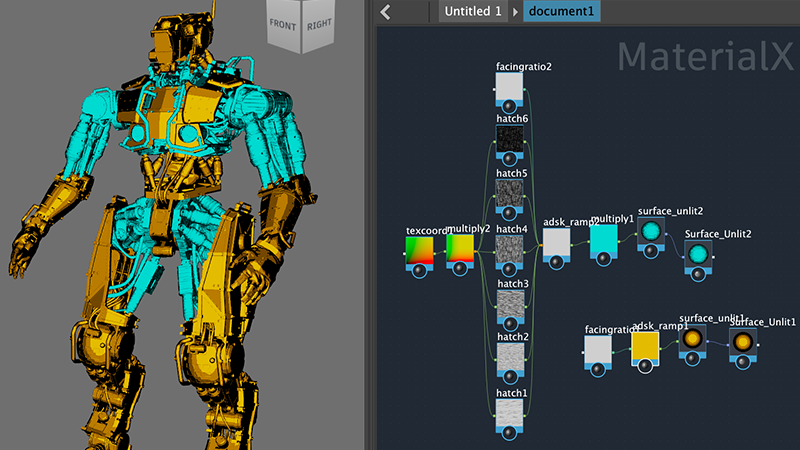
Maya 2027 brings AI assisted workflows, stronger animation tooling, and cleaner modeling into a single production environment. The release adds MotionMaker updates, layer based skinning built directly into the interface, Smart Bevel for tighter geometry, improved USD asset building, LookdevX enhancements, and Autodesk Assistant in Tech Preview, along with updates across Bifrost, Arnold, and the Sequencer. For studios managing complex scenes and tight delivery windows, the practical result is fewer manual corrections and fewer trips outside the software to finish a shot.
The Bottleneck Most 3D Teams Recognize
Ask any lead artist where time disappears and the answer is rarely the creative work. It goes to cleanup on beveled edges, rebuilding skin weights that broke after a rig change, chasing shader inconsistencies between departments, and hunting for the right version of an asset three folders deep.
Those tasks are invisible on a shot list, but they compound. A team of eight artists losing two hours a week each to rework is losing a full production day. That is the pressure Autodesk Maya has been responding to across recent cycles, and this Autodesk Maya update targets those friction points directly rather than adding features that only look good in a demo reel.
What Changes in Maya 2027
Modeling That Requires Less Cleanup
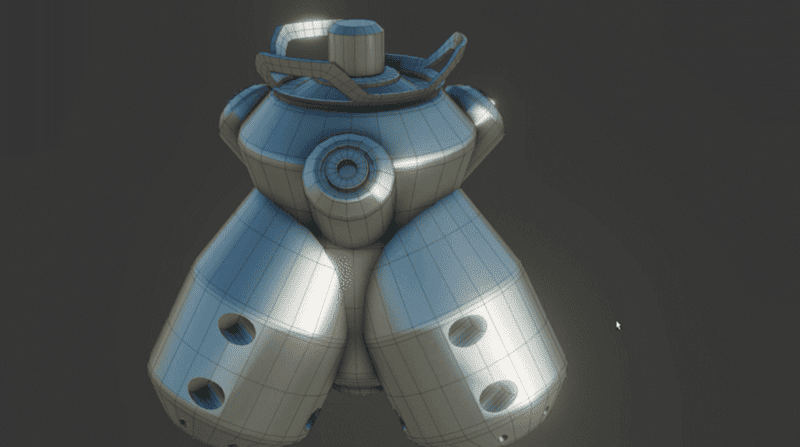
Smart Bevel is the headline improvement for Maya 3D modeling. Beveling has always been the step where clean topology turns messy, especially on hard surface models with intersecting edge flows. The new behavior produces more predictable geometry on complex corners, which means less time spent manually repairing edge loops before a model moves to UV or rigging.
For product visualization and industrial work, this pairs naturally with teams already running Autodesk Fusion on the engineering side, where CAD geometry arrives in Maya and needs to be prepared for rendering without losing surface quality.
Animation and Rigging Tools Built for Iteration
MotionMaker updates give animators a faster path from blocking to believable movement, particularly for secondary characters and background action that traditionally eats time without earning screen presence. Combined with integrated layer based skinning, riggers can now work non destructively inside the interface instead of jumping between external tools or scripted workarounds.
This is where Maya animation software continues to separate itself. Skinning corrections that used to mean redoing prior work can now be layered, adjusted, and reverted independently, which changes how confidently a team can accept notes late in a cycle.
Look Development and Asset Management
LookdevX enhancements and improved USD asset building address the coordination problem in larger productions. When lighting, texturing, and layout teams work on the same asset simultaneously, USD keeps them aligned instead of forcing sequential handoffs. Updates to Arnold and Bifrost extend the same logic into rendering and procedural effects, while Sequencer improvements make editorial review inside Maya more practical.
Autodesk Assistant in Tech Preview
The Autodesk Assistant arrives as in product guidance rather than a generative shortcut. It answers questions about tools and workflows without pulling the artist out of the application to search documentation. For junior team members and studios onboarding new hires, that shortens the ramp considerably.
How Teams Actually Adopt These Features
Adoption rarely fails because of the software. It fails because a studio upgrades mid project, discovers a plugin incompatibility in week two, and reverts.
A workable sequence looks like this. Audit current pipeline dependencies, including third party plugins and render farm configurations. Test the Maya 2027 new features on a contained internal project before committing a client deliverable. Migrate asset libraries to USD structures gradually rather than all at once. Train the animation and modeling leads first, then let them run internal sessions with their teams.
Studios that follow that order usually reach full production speed within a few weeks. Studios that skip the audit tend to spend that same time troubleshooting.
Maya vs Blender for Production Environments
The Maya vs Blender question comes up constantly, and it deserves an honest answer rather than a sales one. Blender is capable, free, and has a strong community. For solo artists, small studios, and independent creators, it is a legitimate choice.
Where Maya holds its position is in pipeline integration, studio scale collaboration, and support accountability. USD workflows, Arnold integration, established rigging standards, and compatibility with the tooling most large facilities already run make it the practical default for teams delivering under contract. When a production stalls, having a partner and a support path matters more than license cost. The decision usually comes down to team size, client requirements, and whether the studio can absorb downtime.
Scenarios Where the Upgrade Pays Off Quickly
An architectural visualization team producing animated walkthroughs benefits most from Smart Bevel and Arnold updates, since geometry quality and render time drive the schedule directly.
A game studio building character libraries gains the most from layer based skinning and MotionMaker, where iteration volume is high and rig changes are constant.
A post production house handling episodic content sees returns from USD asset building and Sequencer improvements, because version control across departments is the recurring failure point.
A manufacturing or product design group moving CAD data into marketing content benefits from cleaner modeling tools and tighter interoperability with design software already in use.
Recommendations Before You Upgrade
Check your plugin and render farm compatibility first. Confirm hardware specifications against current requirements, particularly GPU memory for LookdevX and Arnold. Decide whether your licensing structure still fits your team size, since many studios are paying for seats that no longer match how they work. And plan training deliberately, because the tools that save the most time are the ones people need to be shown once.
Getting Maya 2027 Running in Your Studio
MicroCAD works with AEC, design and manufacturing, and media and entertainment teams across the United States on exactly this kind of transition, from licensing and deployment through training and ongoing support. As an Autodesk partner, our consultants have run these migrations in live production environments and know where the friction shows up before it costs you a deadline.
If you are evaluating the move, we can review your current pipeline and recommend a licensing and rollout approach that fits your team.