

 Toll Free 888-355-0081
Inventor and AutoCAD: Better together
Design teams move faster and work smarter when 2D and 3D are connected. With AutoCAD and Inventor working together, designers and engineers can reuse existing work, maintain accuracy, and choose the right tool at every stage without breaking continuity.
How 2D and 3D improve outcomes for designers and engineers
One workflow from 2D to 3D
Many projects start with 2D drawings. Instead of rebuilding designs from scratch, teams can create 3D models directly from existing 2D data. AutoCAD drawings become the foundation for intelligent 3D models in Inventor, preserving design intent while adding depth, precision, and flexibility.
This connected workflow improves model accuracy through associativity. When a change is made in one environment, related data stays aligned, reducing errors and rework.
Flexible documentation without compromise
Not every task requires the same tool. Some teams prefer AutoCAD for detailed manufacturing drawings, while others rely on Inventor for model-driven documentation. The advantage comes from choice without disruption.
Designers can work in a familiar AutoCAD interface using native DWG files while maintaining a live connection to the 3D model. Documentation stays consistent, accurate, and aligned with design changes throughout the project lifecycle.
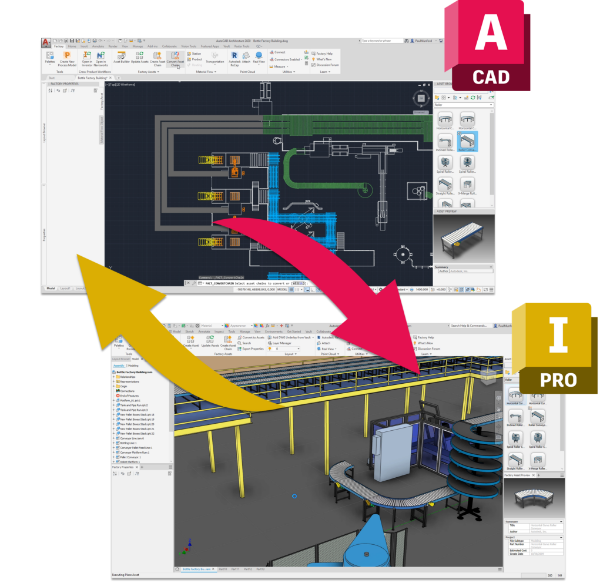
What connected 2D and 3D enable
Using AutoCAD and Inventor together helps teams work smarter at every stage.
- Create 3D models from existing 2D drawings without rebuilding geometry.
- Maintain model accuracy through associativity between drawings and 3D data.
- Choose the best tool for documentation while keeping designs aligned.
- Design factory layouts with synchronized 2D and 3D data.
- Detect interferences earlier and generate accurate bills of equipment.
- Reduce repetitive tasks through intelligent and automated modeling.
Faster time to market through smarter modeling
Combining 2D and 3D workflows helps teams reduce delays and move designs forward with confidence. Intelligent modeling in 3D removes manual steps and supports faster decision making.
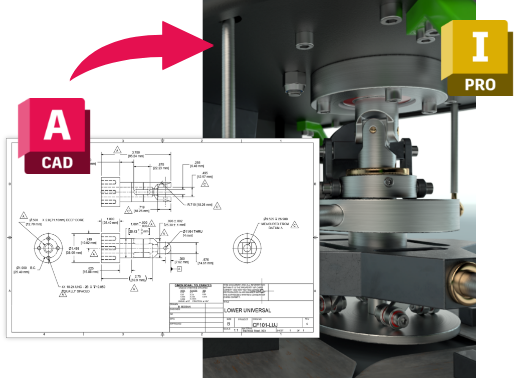
Key capabilities that accelerate delivery
- Automate the modeling process using parametric, direct, freeform, and rules-based design.
- Build intelligence directly into models to reduce repetitive tasks.
- Model complex designs efficiently with specialized tools for sheet metal, weldments, and tube and pipe.
- Enable rapid configuration of new designs using existing assemblies.
- Reuse proven designs to shorten development cycles.
- Support accurate quotes and faster transitions to manufacturing.
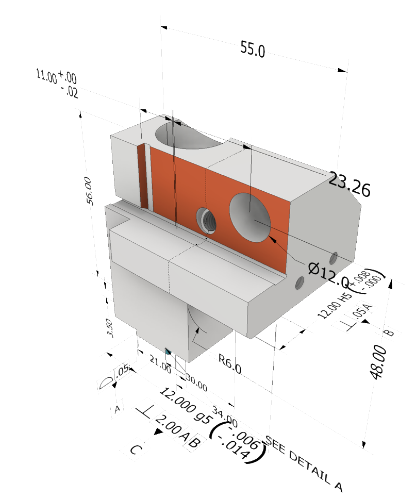
Model based definition for manufacturing readiness
A fully defined 3D model becomes a single source of truth. Model-based definition allows critical information to live directly in the model, including metadata, bills of materials, tolerances, dimensions, GD&T, surface finishing, hole and thread notes, and general notes.
This clarity improves communication with manufacturing and reduces delays caused by incomplete or unclear documentation.
Design reuse that drives innovation
Rapid configuration of new designs enables teams to reuse assemblies efficiently and respond faster to customer needs. Reducing repetitive tasks creates space for innovation while helping teams deliver accurate quotes, shorten lead times, and win more business.
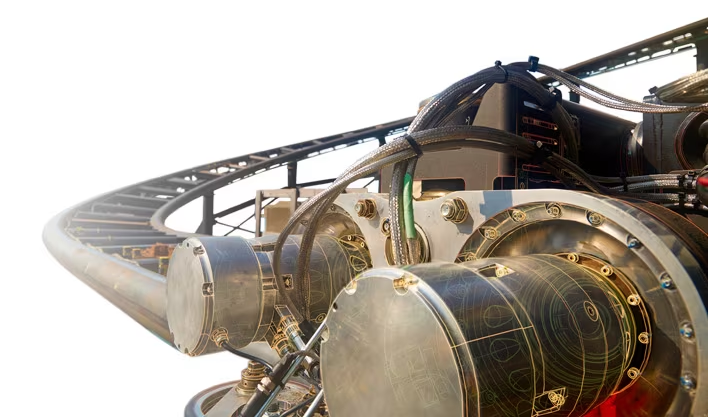

Unlock downstream value with 3D
Working with 3D models opens the door to powerful downstream tools. Simulation, tolerance analysis, nesting, CAM, and rendering help teams improve performance.
2026 All rights reserved MicroCAD Training and Consulting