AI-Driven CAD-to-CNC Solution: Autodesk Fusion + TOOLPATH
30 Second intro: watch how Autodesk Fusion and TOOLPATH AI work together.
Why Choose AI-Driven
Manufacturing
Auto-CAM programming from your CAD file. The system calculates feeds, speeds, and toolpath strategies based on your shop floor capabilities.
Design-for-manufacturability checks. The system flags unmachinable features, including deep pockets and narrow corners, before you cut a single part.
Automated custom quotes. Quotes generate directly from your shop floor resources and rates.
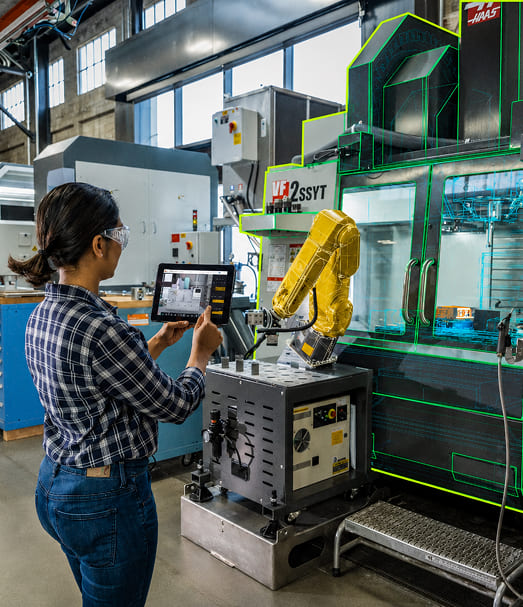
The 5-Step Automated Workflow
01
Design and Share
Model your parts in Fusion or Inventor. Share them instantly with the TOOLPATH add-in.
02
AI CAM Generation
Your customized TOOLPATH add-in generates the CAM program directly from your CAD geometry.
03
Automated Estimating
Get fast, accurate estimates based on your shop rates and resources.
04
Verification and Control
Review the AI-generated CAM program inside Fusion. Run final checks, manual refinements, and full simulations.
05
Manufacturing
Release the optimized, verified CAM program to your CNC machinery through a Fusion post processor.
Why MicroCAD
MicroCAD is an Autodesk Platinum Partner. We build a tailored, Fusion-based AI manufacturing workflow for your shop, backed by training and support.
Our Support Services
MicroCAD AI Manufacturing Support Plan (includes 3 hours of CAM AI Senior Consulting) We set up your baseline AI manufacturing workflow with Fusion and the TOOLPATH add-in. The plan covers machine and tool library configuration, workflow alignment, and training built around your shop, your machines, and your parts.