

Toll Free 888-355-0081
Autodesk Civil 3D: Advanced software for comprehensive civil infrastructure design and documentation
Comprehensive software for the detailed design and documentation of civil infrastructure. Automate grading design tasks, optimize alternatives graphically, and enhance efficiency in your civil engineering projects with Civil 3D
Civil 3D: Civil Infrastructure Design and Documentation Software
Civil 3D® civil engineering design software supports BIM (Building Information Modeling) with integrated features to improve drafting, design, and construction documentation.
Conduct grading design studies based on project constraints. Grading Optimization is available in Civil 3D only as part of the Architecture, Engineering & Construction Collection.
- Automate time-consuming grading tasks.
- Explore alternatives to achieve an optimal grading solution.
- Return the selected grading proposal to Civil 3D for detailed design.
Invest in Advanced Design: Buy a Civil 3D License
Get your hands on a Civil 3D license today. Explore our range of competitive prices for Civil 3D licenses, designed to match your budget. Enhance your civil engineering projects with the dynamic capabilities of Civil 3D. Choose our cost-effective options and harness the full power of Civil 3D for your design and infrastructure endeavors.
What’s New in Civil 3D 2025?
Civil 3D has long stood as the preferred design tool for civil engineers. However, dealing with intricate projects containing sizable design files can still result in significant time investments when opening, editing, and saving.
Autodesk has diligently worked to enhance the speed of Civil 3D operations, aiming to empower users to complete their projects promptly and within budget constraints, particularly for routine tasks.
- Coordinate system modernization: improved the UI, making it more intuitive and easier to use
- Multi-baseline corridor setup: with this improvement, designers don’t have to wade through the “pick and click” process when setting up a corridor model that has multiple baselines. With a single click you can now set up these elements in one go.
- MMS file saving: now, MMS files are only saved when the surface is modified. This one change will reduce Autodesk Construction Cloud (ACC) file processing time dramatically.
- Esri ArcGIS® basemaps: to help designers and engineers visualize terrain, streets, and structures, Autodesk has added five Esri basemaps to the Civil 3D ribbon under the Geolocation tab:
1. Open streets
2. Esri streets
3. High-resolution satellite and aerial imagery
4. Light and dark grey monochrome maps

Civil 3D overview (video: 2:18 min.)
Civil 3D Highlighted Features
Collaboration for Civil 3D
Securely access Civil 3D files, data shortcuts, and xrefs from multiple locations and companies, all in a common data environment.
Connector for ArcGIS
Streamline the Flow of data between ArcGIS and Civil 3D. Access the latest data and keep features information up to date.
Dynamo for Civil 3D
Use the Dynamo visual scripting environment to develop routines that automate repetitive design tasks and expedites workflows.
Bridge design
Coordinate workflows more efficiently across the various disciplines working on complex bridge design projects.
Pressure network
Use enhanced tools for more efficient pressure pipe network layout and design.
New transit and rail design features
Expanded toolkit for transit and rail design including spirals, dynamic alignments, profiles, and superelevation design.
Use Civil 3D with other Autodesk Software
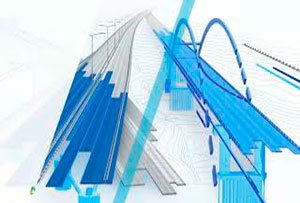
Civil 3D + InfraWorks + Revit
Integrated bridge analysis and design.
(video: 2:44 min.)

Civil 3D + ReCap Pro
Further enhance 3D modeling and designing in Civil 3D. (video: 2 min.)

Civil 3D + InfraWorks + Revit +Navisworks
Improve site and building design coordination with shared coordinate systems. (video: 2:13 min.)
MicroCAD Productivity Tools for Autodesk Civil 3D

MicroCAD Civil 3D Productivity Tools is a set of essential productivity plug-ins that will make your work in Civil 3D fast, easy and efficient. These tools will dramatically reduce the number of tedious tasks and help you focus on your engineering challenges.
Streamline your everyday tasks, Reduce the amount of tedious work, Do things that are not possible with out-of-the-box Civil 3D, Become more productive.