What if getting an answer inside your design software did not require leaving your work at all?
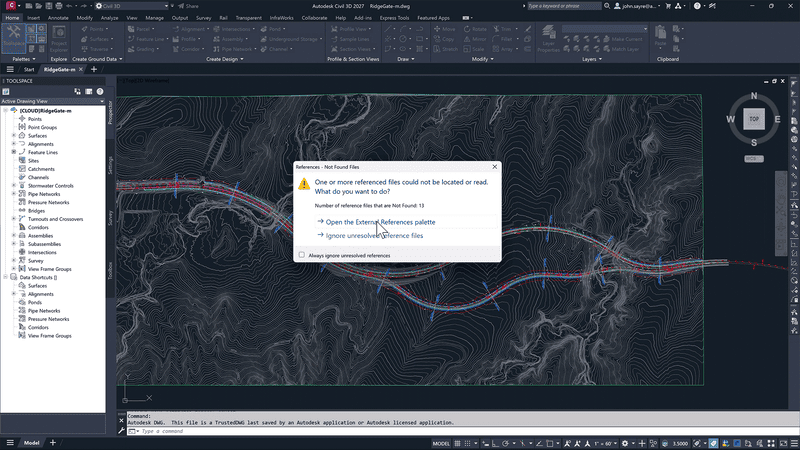
That moment is familiar to many professionals working in architecture, engineering and construction. Complex tools are powerful, but they also come with a learning curve and constant updates. With the latest evolution of the AEC Collection Autodesk, that friction is starting to disappear. Autodesk Assistant is now built directly into Revit, AutoCAD and Civil 3D, offering real time help without pulling users out of their work.
A smarter companion inside core AEC tools
The arrival of Autodesk Assistant marks an important step in how support is delivered inside design and engineering software. Instead of switching tabs, browsing forums or searching long help articles, users can now ask questions in natural language directly within Revit, AutoCAD or Civil 3D.
This assistant acts as an intelligent companion that understands context. It provides clear explanations, step by step guidance and links to relevant resources, all while staying inside the modeling environment. The result is a more fluid experience where learning and doing happen at the same time.
What this means for the AEC Collection Autodesk
The AEC Collection Autodesk has always been about bringing together the essential tools for end to end project delivery. By embedding Autodesk Assistant into its core applications, the collection becomes not just a set of tools, but a guided working environment.
For teams using multiple platforms across disciplines, this consistency matters. Whether someone is detailing in AutoCAD, coordinating models in Revit or working on infrastructure layouts in Civil 3D, the way they access help is the same. That reduces friction and makes it easier for teams to adopt best practices across the board.
How Autodesk Assistant works in daily workflows
Autodesk Assistant is designed to be practical, not abstract. Users can type questions like how to manage views in Revit, how to adjust object properties in AutoCAD, or how to handle alignments in Civil 3D. The assistant responds with targeted answers that relate directly to the task at hand.
Because it is embedded in the software, the guidance feels relevant and timely. It is not a generic chatbot. It understands where the user is working and adapts responses accordingly. This context awareness is what helps reduce confusion and improve confidence, especially when tackling less familiar features.
Less searching, more designing
One of the biggest productivity gains comes from reduced search time. Traditionally, finding an answer meant leaving the software, opening a browser and hoping the right explanation surfaced quickly. That process breaks focus and adds unnecessary delays.
With Autodesk Assistant, answers are available in real context. This keeps users in their flow and allows them to move from question to solution without losing momentum. Over time, those small savings add up, especially on fast paced projects with tight deadlines.
Supporting learning at every experience level
Another advantage of Autodesk Assistant is how it supports both new and experienced users. For those still learning Revit, AutoCAD or Civil 3D, the assistant provides guidance without the pressure of mastering everything at once. It acts as a safety net that encourages exploration.
For experienced professionals, it becomes a quick reference tool. Instead of relying on memory or workarounds, users can confirm workflows, discover improved methods and stay aligned with current best practices. This helps teams maintain quality while working more efficiently.
Building confidence through contextual support
Confidence plays a major role in how effectively people use complex software. When users are unsure, they tend to avoid advanced features or stick to familiar workflows. Autodesk Assistant helps change that behavior by offering reassurance and clarity exactly when it is needed.
Because answers are tailored to the current task, users feel supported rather than overwhelmed. This encourages smarter use of the tools and leads to better outcomes across design and engineering activities.
A step forward for AI in AEC workflows
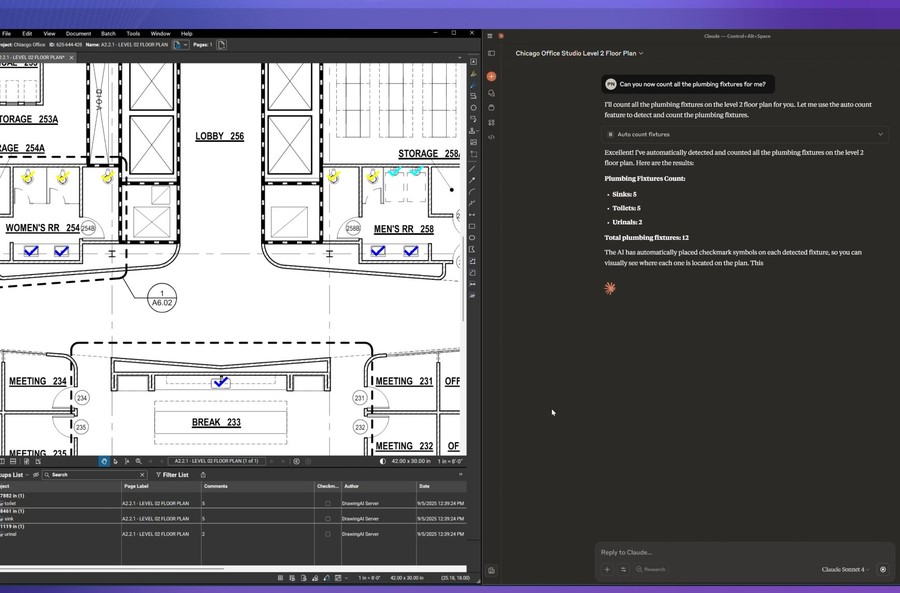
The integration of Autodesk Assistant reflects a broader shift toward practical AI adoption in the AEC industry. Rather than focusing on abstract automation, Autodesk is using AI to remove everyday friction.
This approach respects how professionals actually work. It does not replace expertise or decision making. It enhances it by making knowledge easier to access at the right moment. That balance is key to building trust in AI driven tools.
Looking ahead
As Autodesk Assistant continues to evolve, its presence inside Revit, AutoCAD and Civil 3D sets a new expectation for how software supports its users. Help is no longer something you search for. It is something that comes to you, in context, when you need it.
For teams using the AEC Collection Autodesk, this update offers a smarter way to work and a more natural connection between questions and solutions.